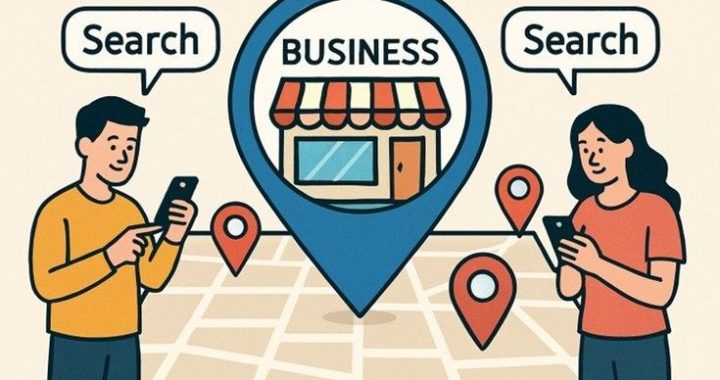
Local content ideas that attract nearby customers

Local Content Ideas That Attract Nearby Customers

If you run a business that depends on foot traffic, service calls, or people typing “near me” into Google, your content strategy needs to think local first. National brands can afford to chase broad audiences, but a bakery in Prayagraj or a plumbing business in Austin doesn’t need the whole internet to notice them — it needs the people who live within a 15-minute drive to know it exists, trust it, and choose it over the shop next door.

That’s where local content comes in. Local content is any piece of writing, video, image, or post that speaks directly to your city, neighborhood, or community. It tells search engines and real people alike: “This business belongs here, understands this place, and is relevant to what’s happening around you.” Done right, it doesn’t just bring more visitors to your website — it brings the right visitors, the ones who are far more likely to walk through your door or pick up the phone.

Below is a practical breakdown of what local content actually means, why it works, and a long list of ideas you can start using right away.

Why Local Content Matters More Than Generic Content

Search engines like Google have gotten very good at understanding intent. When someone searches “best coffee shop near me” or “affordable electrician in [city],” Google isn’t just matching keywords — it’s trying to serve results that are geographically and contextually relevant. A blog full of generic, city-agnostic content simply doesn’t compete well against a business that consistently publishes content tied to its actual location.

There’s also a trust factor. People are more likely to engage with a business that clearly understands their community. If a reader sees you writing about a local festival, a nearby landmark, or a common problem specific to your region’s climate or lifestyle, it signals that you’re not some faceless company — you’re a neighbor. That familiarity shortens the distance between “I found this business online” and “I’m calling them today.”

Finally, local content tends to be less competitive. Ranking for “digital marketing agency” is nearly impossible for a small business. Ranking for “digital marketing agency in Prayagraj for small businesses” is a completely different, much more winnable game.

Content Ideas That Actually Bring In Nearby Customers

Here’s a wide set of content directions you can mix and match depending on your industry.

1. Neighborhood and city guides

Write guides that position your business as part of the local fabric, not just a company that happens to be located there.

“Best weekend spots in [city] for families”
“A local’s guide to [neighborhood]: where to eat, shop, and relax”
“Top 10 hidden gems in [city] most tourists miss”

These pieces don’t always sell directly, but they build goodwill, get shared locally, and often attract backlinks from other local sites, which helps your search rankings.

2. “Near me” focused service pages and posts

Create content built specifically around how people search when they need help fast.

Comparison-style posts like “In-house vs. outsourced [service] in [city]: which is right for you”

3. Local event coverage and participation

Tie your brand to things already happening in your community.

Recap posts after local fairs, markets, or festivals your business attended or sponsored
“Where to find us this month” posts listing pop-ups, stalls, or community events
Behind-the-scenes content from local charity drives or community clean-ups you supported

4. Customer stories and local testimonials

Nothing builds trust faster than someone from the same city vouching for you.

Video testimonials filmed at your actual location, mentioning the area by name
Before-and-after project stories tied to specific local addresses or landmarks (with permission)

5. Local partnerships and collaborations

Team up with other nearby businesses for cross-promotion and shared content.

Joint blog posts or interviews with complementary local businesses
“Businesses we love in [city]” roundups that tag and link to other local brands
Co-hosted giveaways or events, documented and shared across both audiences

6. Seasonal and climate-specific content

Localize the seasons. What matters to someone in Prayagraj during monsoon season is very different from what matters to someone in a coastal city during hurricane season.

7. Local FAQs and problem-solving content

Address the specific questions people in your area are actually typing into search bars.

“What permits do you need to renovate a home in [city]”
FAQ-style posts addressing local regulations, pricing norms, or availability issues

8. Behind-the-scenes and team spotlight content

People connect with people, not logos. Show the human side of your local presence.

“Meet the team behind [business name] in [city]”
A day-in-the-life post or reel showing your actual storefront, office, or job site
Staff interviews about why they love working in your community

9. Local statistics, trends, and market insights

Position your business as a knowledgeable local authority.

“5 trends shaping [industry] in [city] this year”
Simple local market reports: average pricing, demand shifts, or growth areas
Commentary on local news that affects your industry, written in your own voice

10. User-generated and community content

Let your audience create content for you.

Feature customer photos or reviews tagged with your location
Repost and credit local influencers or community pages that mention your business

Making Local Content Feel Genuine, Not Forced

A common mistake businesses make is stuffing city names into content without adding real value — this reads as spammy to both readers and search engines. Instead, focus on genuinely useful, specific, and personal details.

Mention actual street names, local landmarks, weather patterns, cultural events, or community quirks that someone from outside the area simply wouldn’t know to include. That specificity is what separates authentic local content from a template with the city name swapped in.

It also helps to keep a content calendar tied to your local community’s rhythm — festivals, school schedules, weather changes, sports seasons, and civic events all offer natural, recurring content opportunities throughout the year.

A Few Practical Tips Before You Start Publishing

Use local keywords naturally. Include your city, neighborhood, or region in titles, headers, and throughout the body text, but only where it reads naturally.
Add local schema markup to your website so search engines clearly understand your business location, service area, and hours.
Keep your Google Business Profile active and link it to your blog content whenever relevant — fresh posts can be shared there too.
Encourage reviews that mention specifics, like the service they received or the neighborhood they’re in, since these often get pulled into local search snippets.
Repurpose content across platforms. A neighborhood guide can become an Instagram carousel, a short video, and a newsletter feature, multiplying its reach without multiplying your workload.

Final Thoughts

Local content works because it meets people where they already are — emotionally and geographically. It shows that your business isn’t trying to speak to everyone; it’s speaking directly to the people most likely to become customers. Start small: pick two or three ideas from this list that fit your industry, publish consistently, and pay attention to which topics get the most engagement or foot traffic. Over time, this kind of focused, community-rooted content builds something generic marketing rarely can — genuine local trust.
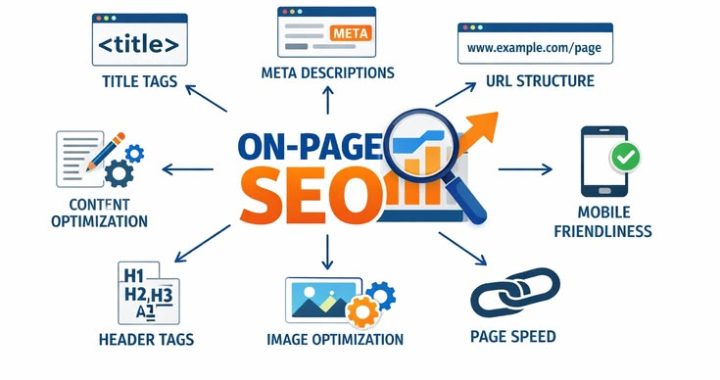
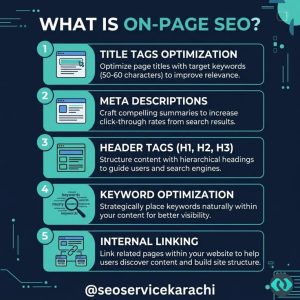
On-page local SEO checklist: schema, NAP consistency, and pages that convert.

On-Page Local SEO Checklist: Schema, NAP Consistency, and Pages That Convert

If you run a local business, ranking on Google is only half the battle. The other half — the part most business owners overlook — is making sure that once someone finds you, they actually pick up the phone, fill out a form, or walk through your door. Local SEO isn’t just about visibility anymore.

We’ve worked with dozens of local businesses that show up on page one but still struggle to generate leads. Nine times out of ten, the problem isn’t rankings. It’s what happens after someone lands on the page. This guide breaks down the three pillars every local business needs to get right: structured data (schema), NAP consistency, and page design that actually converts visitors into customers.

Why On-Page Local SEO Still Matters in 2026

A lot of agencies talk about local SEO like it begins and ends with Google Business Profile. That’s part of the puzzle, but it’s not the whole picture. Your website is still the foundation Google leans on to understand who you are, what you offer, and where you operate. Get the on-page fundamentals wrong, and even the best backlink strategy or the most polished Google Business Profile won’t save you.

Search engines have gotten better at understanding context, but they still rely heavily on clear signals. Consistent contact information tells them you’re legitimate and trustworthy. And a page built for conversion tells your visitors — human beings, not algorithms — that they’re in the right place. Local SEO succeeds when all three of these work together.

1. Schema Markup: Speaking Google’s Language

Schema markup is code you add to your website that explains your content to search engines in a structured, machine-readable format. Think of it as a translator sitting between your website and Google, making sure nothing gets lost in interpretation.

For local businesses, schema is especially valuable because it can directly influence how you appear in search results — think star ratings, business hours, and address details showing up right in the search snippet. That kind of visibility builds trust before a user even clicks.

Schema types every local business should implement:

LocalBusiness schema – Establishes your business name, address, phone number, hours, and category directly in code. If you have a specific business type (dentist, plumber, law firm), use the more specific schema subtype rather than the generic one.
Organization schema – Useful for multi-location businesses or brands that want to reinforce their identity across the web.
Review and AggregateRating schema – Displays star ratings in search results, which can significantly improve click-through rates.
FAQ schema – Turns common customer questions into expandable rich results, giving you more real estate on the search page.
Service schema – Clearly defines the specific services you offer, which helps you show up for more granular, service-based searches.
BreadcrumbList schema – Improves how your site structure is understood and displayed, especially helpful for multi-page local sites.

A word of caution: schema should always reflect what’s actually visible on the page. Marking up information that doesn’t appear anywhere in your visible content is a shortcut that can backfire, since it violates search engine guidelines and risks a manual penalty.

If you’re using WordPress, plugins can help you implement schema without touching code, but it’s worth having a developer or SEO specialist audit the output. Automated tools often generate incomplete or duplicate markup, especially across multiple pages.

2. NAP Consistency: The Trust Signal You Can’t Skip

NAP stands for Name, Address, and Phone number, and it’s one of the simplest yet most frequently mismanaged elements of local SEO. The idea is straightforward: your business information should appear exactly the same way everywhere it’s listed online — your website, Google Business Profile, Yelp, Facebook, industry directories, and beyond.

Inconsistency confuses search engines. If Google finds five different versions of your address across the web, it becomes harder to confirm which one is accurate, and that uncertainty can quietly hurt your local rankings. It also erodes trust with real customers, who may hesitate to visit or call a business whose details don’t line up.

A practical NAP consistency checklist:

Pick one exact format for your business name, address, and phone number, and use it everywhere — including abbreviations like “St.” versus “Street” or “Suite” versus “Ste.”
Add your NAP to your website footer so it appears on every page, not just the contact page.

Audit your existing citations across directories like Google Business Profile, Bing Places, Yelp, Apple Maps, and relevant industry-specific listings.
Correct outdated listings from previous addresses, old phone numbers, or rebrands — these tend to linger longer than business owners expect.
Use a local phone number rather than a national call-tracking number when possible, since tracking numbers can create inconsistencies if not properly linked back to your primary number.
Recheck your citations periodically. Directories update their systems, listings get duplicated, and errors creep back in over time.

For businesses with multiple locations, this gets more complex, but the principle stays the same. Each location needs its own accurate, consistent NAP, ideally supported by a unique landing page rather than one generic “locations” page that tries to cover everything.

3. Pages That Convert: Turning Visitors Into Customers

Here’s where a lot of local SEO strategies fall short. Businesses invest heavily in rankings and structured data, then send that hard-earned traffic to a generic homepage or a thin, outdated service page. The visitor arrives, doesn’t find what they need quickly enough, and leaves. That’s a wasted opportunity, especially when you consider how much effort went into getting them there in the first place.

A page that converts isn’t necessarily flashy. It’s clear, fast, and built around what the visitor actually came to do.

What high-converting local pages have in common:

A clear, specific headline. Visitors should know within seconds whether they’re in the right place. specific content. If you serve multiple areas, each location should have its own page with unique content describing that specific market, not a duplicated template with the city name swapped out.
Visible calls-to-action. Phone numbers, contact forms, and booking buttons should be easy to find without scrolling through paragraphs of text first. Placing a CTA above the fold, and repeating it further down the page, gives visitors multiple chances to act.
Social proof. Testimonials, review snippets, and trust badges reassure visitors that other people in their area have had a good experience with you.
Fast loading speed. Local searches are frequently done on mobile devices, often by someone who needs a service quickly. A slow-loading page loses impatient visitors before they even see your offer.
Simple, short forms. Every extra field on a contact form is a small barrier. Ask for what you genuinely need — name, phone number, and a brief message is often enough to start a conversation.
Clear service descriptions with pricing context. You don’t always need exact pricing, but giving visitors a general sense of cost or a starting range builds trust and filters out mismatched leads before they contact you.
Trust elements near the point of conversion. Licensing information, years in business, or certifications placed near your contact form can be the deciding factor for a hesitant visitor.

It’s also worth remembering that conversion isn’t only about a form submission. For many local businesses, a phone call is the real goal. Make sure your click-to-call buttons work properly on mobile, and consider adding a visible phone number in the header of every page.

Bringing It All Together

Local SEO works best as a system, not a checklist you complete once and forget about. Schema markup helps search engines understand and showcase your business accurately. NAP consistency builds the trust signals that support your rankings and reassure real customers. And conversion-focused page design makes sure that all the traffic you’ve earned actually translates into calls, bookings, and revenue.

The businesses that consistently outperform their local competitors aren’t necessarily the ones with the biggest marketing budgets. Search algorithms change, review platforms come and go, but a business that’s structured correctly, listed consistently, and easy to do business with will always have a strong foundation to build on.

If you’re auditing your own site, start small. Check your NAP across your five most important listings this week. Then take a hard look at your highest-traffic page and ask yourself honestly: if I were a first-time visitor, would I know exactly what to do next? Small, consistent improvements in these three areas compound over time, and that’s ultimately what separates local businesses that thrive online from the ones that simply exist there.

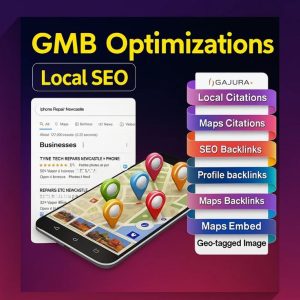
How citations and local backlinks boost rankings.

How Citations and Local Backlinks Boost Rankings (And Where to Get Them)

If you run a local business, you’ve probably heard “get more backlinks” so many times it’s started to feel like white noise. But here’s the part most people skip over: not all backlinks are created equal, and for local businesses, there’s an entire category of links and mentions that matters just as much — sometimes more.
If your business shows up on page one for “plumber near me” or “best bakery in [your city],” there’s a good chance citations and local links are part of the reason why. Let’s break down what they actually are, why Google cares about them, and exactly where you can go to start building them for your own business.

What Exactly Is a Citation?

It doesn’t have to include a link back to your website. Sometimes it’s just your business listed in a directory, a review site, or even a local news article that mentions your company in passing.

Think of citations as digital breadcrumbs. Every time your business is mentioned consistently across the web, it sends a signal to search engines that says, “this business is real, it’s established, and it operates where it claims to operate.” Google cross-references these mentions to verify legitimacy, and the more consistent and widespread they are, the more trust your business earns.

There are two main types of citations:

Structured citations — These appear on business directories and listing sites where your NAP is displayed in a defined format, like Yelp, Google Business Profile, or the Yellow Pages.
Unstructured citations — These show up more organically, like a blog post mentioning your restaurant’s name and location, or a local news story referencing your shop.

Both matter, but structured citations are usually easier to build intentionally, which is why most local SEO strategies start there.

Why Citations Actually Move the Needle

It’s easy to dismiss citations as busywork, especially when you can’t always draw a straight line between “I listed my business on a directory” and “my rankings improved.” But the impact is cumulative rather than immediate, and it works on a few levels.

First, citations build trust signals. Search engines want to serve accurate, reliable results, especially for “near me” searches where users expect instant, correct information. A business with consistent NAP data across dozens of reputable sites looks far more credible than one with scattered or conflicting information.

Second, citations improve local pack visibility. The local three-pack — that cluster of map results that shows up above organic listings — relies heavily on proximity, relevance, and prominence. Citations feed directly into that prominence factor. The more places your business is verified and mentioned, the more “present” you appear in your local market.

Third, and this is the one people underestimate, inconsistent citations can actively hurt you. If your address is listed one way on Google and slightly differently on Yelp or Facebook, that discrepancy creates confusion for both users and search algorithms. Cleaning up and standardizing your citations is often one of the fastest wins in a local SEO audit.

What Are Local Backlinks, and How Are They Different?

While citations are about mentions, backlinks are about actual hyperlinks pointing back to your website from another site.
Local backlinks carry extra weight for local SEO because they combine two powerful signals at once: authority (a link from a trusted third-party site) and geographic relevance (a signal that ties your business to a specific place). A backlink from a national industry publication is valuable, sure, but a backlink from your city’s local newspaper or a well-known community blog tells search engines something a generic link can’t: that you’re a recognized part of that specific community.

Where to Get Citations

Building citations doesn’t need to be complicated, but it does need to be deliberate. Here’s where to start:

Google Business Profile — This is non-negotiable. It’s the single most influential citation you can have, and it directly powers your appearance in Google Maps and the local pack.
Bing Places for Business — Often overlooked, but still relevant, especially since Bing powers some voice search results and a meaningful slice of desktop search traffic.
Apple Maps Connect — Increasingly important as more users rely on Siri and Apple Maps for local search.
Getting listed here can cascade your citation to dozens of other platforms automatically.
Industry-specific directories — A law firm might list on Avvo or FindLaw, a contractor might use Angi or HomeAdvisor, and a restaurant might show up on OpenTable or Zomato. These niche citations carry extra relevance because they signal industry context along with location.
General business directories — Yelp, Yellow Pages, Better Business Bureau, and Manta are all solid starting points that most businesses should have covered.
Local chamber of commerce and business association websites — These are often underused, but they’re a great source of both citations and local backlinks in one move, and they usually carry real community trust.

The key with citations isn’t quantity for its own sake. It’s consistency. Your business name, address, and phone number should match exactly, down to how you format your suite number or abbreviate “Street” versus “St.” Small inconsistencies add up.

Where to Get Local Backlinks

Local backlinks generally take a bit more effort than citations because they usually require some kind of relationship, contribution, or newsworthy angle. That said, they’re absolutely within reach for most local businesses.A few reliable approaches:

Sponsor a local event or team — Sponsoring a youth sports league, a charity 5K, ora community festival often earns you a link on the event’s website, which tends to carry strong local relevance.
Partner with other local businesses — Cross-promotion, joint offers, or simple “recommended local businesses” pages are a natural way to earn links from businesses that already share your customer base.
Get involved with local journalism — Local newspapers and news sites are frequently looking for expert quotes or story angles. Offering yourself as a source for a relevant story can earn a high-authority local link.

Join local business associations and chambers of commerce — Beyond the citation benefit mentioned earlier, many of these organizations link out to member businesses from their directory or news pages.
Sponsor or speak at local meetups and conferences — Even smaller industry or community events often list sponsors and speakers with links back to their websites.
Create genuinely useful local content — A “best hiking trails near [city]” guide, a local resource roundup, or a neighborhood guide can attract organic links from local bloggers, tourism boards, or community pages that want to reference something helpful.
Reach out to local bloggers and influencers — A well-written email pitching a collaboration, a product review, or a guest feature can open doors, especially with micro-influencers who cover your specific city or niche.

A Few Best Practices Worth Keeping in Mind

Building citations and backlinks isn’t a one-and-done task, and chasing volume over quality tends to backfire. A handful of principles will keep your efforts on track:

Audit your existing citations first. Before adding new ones, search your business name and check for outdated or conflicting information on existing listings.
Prioritize relevance over reach. A link from a small, well-regarded local blog often does more for your rankings than a link from a massive but irrelevant national site.
Avoid shortcuts like paid link farms or citation spam services. These can trigger penalties and rarely hold up over time.
Keep your NAP information in one master document so every listing you create or update pulls from the exact same source.
Be patient. Citation and backlink building is a long-game strategy. The compounding effect tends to show up over months, not days.

Bringing It All Together

Citations and local backlinks won’t single-handedly rocket your business to the top of search results, but they’re a foundational piece of any serious local SEO strategy. They build the kind of trust and geographic relevance that search engines are specifically designed to reward, and unlike some ranking factors, they’re largely within your control.

Start with the basics — a fully optimized Google Business Profile, clean and consistent citations across major directories, and a couple of genuine local relationships that can turn into backlinks. From there, keep building steadily. Over time, those small, consistent signals add up to real, measurable movement in your local search visibility.

If managing all of this feels like a lot to juggle alongside running your business, that’s exactly the kind of work a marketing agency can take off your plate — auditing your existing citations, cleaning up inconsistencies, and building out a genuine local backlink profile that actually moves your rankings.

Local keyword research: tools and techniques for non-technical teams.

Local Keyword Research: Tools and Techniques for Non-Technical Teams

If you run a local business — or you’re helping one grow — you already know that showing up on Google when someone nearby searches for what you offer can make or break your month. The tricky part is that most guides on keyword research are written for SEO specialists, full of jargon like “search volume,” “keyword difficulty,” and “SERP features.” If you’re not a technical person, that can feel like a locked door.

Here’s the good news: local keyword research doesn’t require a technical background. It requires curiosity, a bit of patience, and a handful of free tools that were built to be simple. In this guide, we’ll walk through exactly how a non-technical team — a small business owner, a marketing coordinator, or anyone wearing the “marketing hat” part-time — can find the right local keywords without touching a single line of code.

What Local Keyword Research Actually Means

Local keyword research is simply the process of figuring out what words and phrases people in your area type into Google when they’re looking for a business like yours. It’s the difference between guessing what your customers want and actually knowing it.

For example, a bakery in Austin might assume people search for “best bakery,” but real research could reveal that most local searches are actually for custom birthday cakes Austin

The goal isn’t to collect a giant spreadsheet of random words. It’s to understand the exact language your potential customers use, so you can speak to them in that same language across your website and listings.

Why This Matters More for Local Businesses

Local searches tend to have strong buying intent. Someone typing “emergency plumber near me” or “yoga studio downtown Chicago” isn’t casually browsing — they’re often ready to call, visit, or book within hours. That’s why ranking well for the right local terms can bring in customers who are already halfway to a decision.

The challenge is that local search behavior is very specific to a neighborhood, city, or even a street. A generic keyword strategy built for a national brand simply won’t capture that nuance, which is exactly why local keyword research deserves its own process.

Getting Started Without Any Technical Skills

You don’t need to know how to read data exports or use complicated dashboards to begin. Start with what you already have: knowledge of your customers.

A few simple starting points:

Think about the last five questions customers asked you in person, by phone, or by email.
Look through your reviews (Google, Yelp, Facebook) and notice the exact words customers use to describe your service.
Ask your front-desk or sales team what phrases customers repeat most often.
Check your own search history — how would you search for a business like yours if you didn’t already know it existed?

This “customer language” exercise alone often uncovers keyword ideas that formal tools miss, because it captures how real people talk, not how marketers assume they talk.

Free, Beginner-Friendly Tools to Use Next

Once you have a starting list, it’s time to expand it using tools that require zero technical setup.

1. Google Autocomplete

Open a private/incognito browser window, go to Google, and start typing a phrase related to your business (for example, “dog groomer in”). Google will suggest completions based on real searches. These suggestions are a goldmine because they reflect actual local search behavior, updated constantly.

2. “People Also Ask” and Related Searches

After you search a keyword, scroll down to the “People Also Ask” box and the “Related searches” section at the bottom of the results page. Both reveal related questions and phrases real users are searching for, giving you natural content ideas for blog posts, FAQs, and service pages.

3. Google Business Profile Insights

If your business already has a Google Business Profile (formerly Google My Business), check the performance section. It shows some of the actual search terms people used before finding your listing. This is one of the most underused sources of local keyword data, and it requires no technical setup beyond having a claimed profile.

4. Google Keyword Planner

Yes, it’s built for advertisers, but you don’t need to run ads to use it. Create a free Google Ads account, open Keyword Planner, and enter a broad term related to your service plus your city. You’ll get a list of related keywords along with a rough monthly search volume. Ignore the more advanced columns at first — just focus on the keyword list and volume.

5. AnswerThePublic

This tool visualizes questions people ask around a topic (“who,” “what,” “why,” “near me,” etc.). Type in your core service, and it generates a wheel of question-based keywords, many of which make excellent blog topics for local audiences.

6. Google Trends

Use Google Trends to compare a few keyword variations and see which one is more popular in your specific city or region, and whether interest is rising, falling, or seasonal. This helps prioritize which terms to focus on first.

Techniques That Make the Research Local

Finding keywords is only half the job — making sure they’re genuinely local is what sets this process apart from generic keyword research.
study competitor websites in your city, not competitors nationally. Look at their service page titles and headings for clues about the terms they’re targeting.
Check “near me” behavior. Many searches now drop the city name entirely because Google already knows the searcher’s location through their phone or browser. Make sure your content naturally supports “near me” style phrasing without forcing it awkwardly into sentences.
Consider hyperlocal terms. Neighborhood names, local slang, or landmark references often carry less competition and higher relevance than broad city-wide terms.
Separate “buynow” keywords from “just researching” keywords. Phrases like “book,” “hire,” “same day,” or “open now” usually signal someone ready to act, while “how to,” “cost of,” or “tips for” usually signal early research. Both matter, but they belong in different parts of your website (service pages vs. blog content)

A Simple Way to Organize What You Find

You don’t need specialized software to manage your keyword list — a basic spreadsheet works perfectly well. Create columns for:

The keyword or phrase
Where it came from (autocomplete, competitor, reviews, etc.)
Approximate search volume (if available)
Search intent (buying, researching, or comparing)
Which page it should live on (homepage, service page, blog post, FAQ)

This last column is especially important. A common mistake is stuffing every keyword onto the homepage. In reality, each keyword usually belongs on a specific, focused page that answers that exact search.

Common Mistakes Non-Technical Teams Make

Chasing high-volume keywords only. A broad term like “marketing agency” might look attractive, but a specific one like “social media marketing for restaurants in [city]” often converts far better because it matches real intent.
Ignoring question-based keywords. These make excellent blog content and often capture people earlier in their decision-making process.
Forgetting to update the list. Local search behavior shifts with seasons, trends, and even local events.
Overlooking spelling and phrasing variations. People search in imperfect, conversational ways — plan for that instead of only using “textbook” phrasing.

A Simple Action Plan to Start This Week

Spend 20 minutes reviewing recent customer questions and reviews for recurring phrases.
Run five to ten of those phrases through Google Autocomplete and note the suggestions.
Set up a free Google Ads account just to access Keyword Planner, and pull volume data for your top ideas.
Check your Google Business Profile insights for real search terms already driving visits.
Organize everything into a simple spreadsheet, tagging each keyword with intent and a target page.
Pick your top three keywords and update one page on your website this week using natural, conversational language built around them.

Final Thoughts

Local keyword research isn’t about mastering complicated software or learning to code — it’s about listening closely to how your community already talks about the problems you solve, and then reflecting that language back through your website and online listings. With a handful of free tools and a little consistency, a non-technical team can build a keyword strategy that’s just as effective as one built by a dedicated SEO specialist, and often more authentic because it’s rooted in real conversations with real customers.

Start small, stay consistent, and let your customers’ own words guide the way.

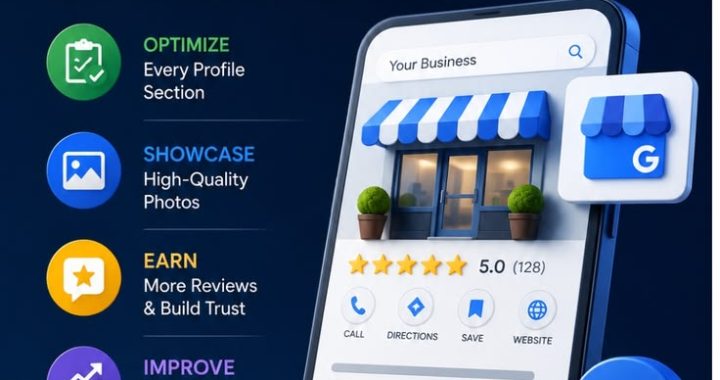
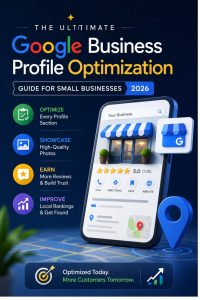
Optimizing your Google Business Profile for higher local visibility.

Optimizing Your Google Business Profile for Higher Local Visibility

They’ll search something like “coffee shop near me” or “plumber in [city],” and Google will serve up a map with three highlighted listings — commonly known as the Local Pack. Whether your business shows up in that coveted three-pack often comes down to one thing: how well your Google Business Profile (GBP) is optimized.

A Google Business Profile is free, but it’s far from a “set it and forget it” tool. Businesses that treat it as a living, breathing part of their marketing strategy consistently outrank those that fill it out once and never touch it again. In this post, we’ll walk through exactly what it takes to turn your profile into a local visibility magnet.

Local search is where buying decisions are made. People searching with local intent — “near me,” a city name, or a neighborhood — are usually further along in the decision-making process than someone doing general research. They’re ready to call, visit, or book. Your GBP is often the first (and sometimes only) impression a potential customer gets before deciding whether to choose you or the business next door.

Beyond visibility in the Local Pack, your profile also influences:

Google Maps rankings, which matter enormously for mobile users on the go
Trust and credibility, since a complete, active profile signals a legitimate, well-run business
Click-through rates, because photos, reviews, and posts give searchers a reason to choose you before they even visit your site

In short, an optimized profile doesn’t just help people find you — it helps convince them to choose you.

1. Get Your Business Information Complete and Accurate

This sounds obvious, but incomplete listings are one of the most common reasons businesses underperform locally. Google rewards profiles that are thorough because a complete listing gives both users and Google’s algorithm more confidence in the business.

Make sure the following are filled out and kept current:

Business name — use your real-world name exactly as it appears on your signage; don’t stuff keywords into it
Address — precise and matching what’s on your website and other directories
Phone number — a local number performs better than a toll-free one
Website URL
Business hours, including holiday hours, which should be updated seasonally

Consistency is the key theme here. Your Name, Address, and Phone number (commonly referred to as NAP) should match exactly across your website, social profiles, and any online directories. Even small discrepancies — like “St.” versus “Street” — can create confusion for Google and weaken your local ranking signals over time.

2. Choose the Right Categories

Categories are one of the most heavily weighted ranking factors for local search, yet they’re frequently overlooked. Your primary category should describe your core business as precisely as possible — a “Mexican Restaurant” is a stronger signal than the generic “Restaurant” if that’s genuinely your specialty.

A few tips for category selection:

Pick a primary category that’s as specific as possible to your main offering
Add secondary categories for other relevant services, but avoid categories that don’t genuinely apply
Periodically review your categories, since Google adds new, more specific options over time
Avoid keyword-stuffing into your business name to compensate for weak categories — this violates Google’s guidelines and can get your listing suspended

3. Use High-Quality Photos and Videos

Visual content plays a bigger role in local search than most business owners realize. Photos help potential customers picture themselves walking through your door, and they build trust before a single word is exchanged.

Aim to regularly upload:

Exterior shots so people can recognize your location when they arrive
Interior photos that showcase the atmosphere or workspace
Team photos, which humanize your business and build familiarity
Product or service photos that show exactly what customers can expect
Short videos, which tend to stand out more in a sea of static images

Freshness matters too. Businesses that add new photos regularly tend to appear more active and engaged, which is a positive signal both for users and for Google’s ranking algorithm.

4. Actively Manage Reviews

Reviews are arguably the single most persuasive element of your entire profile. They influence both rankings and, just as importantly, whether a searcher chooses to click through and contact you at all.

Here’s how to make reviews work in your favor:


Ask for them consistently. Don’t rely on customers to think of it themselves — build a simple, low-friction ask into your service process.
Respond to every review, positive or negative. A thoughtful reply shows you’re engaged and care about the customer experience.
Handle negative reviews professionally. Acknowledge the concern, avoid being defensive, and offer to resolve the issue offline when appropriate.
Never buy or fake reviews. Google’s detection systems have gotten sophisticated, and getting caught can lead to profile suspension.
Use keywords naturally when responding, mentioning your service or location where it fits organically — this can reinforce relevance signals over time.

The quantity, recency, and overall sentiment of your reviews all factor into your local ranking, so treat review generation as an ongoing process rather than a one-time push.

5. Post Regularly Using Google Posts

Many business owners don’t realize that Google Business Profile includes a built-in posting feature, similar to a mini social media feed that appears directly on your listing. Posts can highlight promotions, events, new products, or general updates.

Consistent posting signals to Google that your business is active and engaged, which can positively influence visibility.It also gives potential customers fresh reasons to choose you over a competitor whose listing hasn’t changed in months

A few ideas worth posting regularly:

Seasonal promotions or limited-time offers
New product or service announcements
Behind-the-scenes glimpses of your team or process
Answers to common customer questions
Upcoming events or community involvement

6. Fill Out the Q&A Section Proactively
Left unmanaged, this section can end up with outdated or even incorrect information from random users.

Take control by:

Seeding the section yourself with the questions customers most frequently ask
Monitoring it regularly so you can respond quickly to new questions
Providing clear, helpful answers that double as an opportunity to reinforce key information (hours, services, parking, accessibility, etc.)

7. Leverage Attributes and Services

Attributes are the small details that help your listing stand out for specific searches — think “wheelchair accessible,” “outdoor seating,” “free Wi-Fi,” or “women-owned.” These may seem minor, but they help match your business to more specific search queries and give customers extra confidence before they visit.

Similarly, the Services or Products section lets you list exactly what you offer, complete with descriptions and pricing if you choose. This not only helps customers understand your offerings at a glance but also gives Google more contextual data to match your listing with relevant searches.

8. Keep an Eye on Insights

Google Business Profile provides built-in analytics showing how customers are finding and interacting with your listing — including how they searched, what actions they took, and where they’re viewing you from. Reviewing these insights regularly helps you understand what’s working and where there’s room to improve, whether that means adjusting your categories, posting more often, or focusing on review generation.

Bringing It All Together

Optimizing your Google Business Profile isn’t a one-and-done task — it’s an ongoing part of your local marketing strategy that deserves the same attention as your website or social media. The businesses that consistently show up at the top of local search results are almost always the ones actively managing every element of their profile: accurate information, strong categories, fresh photos, a steady stream of reviews, and regular posts.

The good news is that none of this requires a big budget — just consistency and attention to detail. Start with the fundamentals (accuracy and categories), build momentum with reviews and photos, and layer in posts and Q&A management as ongoing habits. Over time, these small, consistent efforts compound into meaningfully better local visibility — and more customers walking through your door because they found you first.

Three Essential Automation Workflows: Welcome, Win‑Back, and Boost Sales

Marketing Automation Workflow Examples: Onboarding, Re-Engagement, and Upsell Sequences That Actually Work

If you’ve ever set up an email tool and thought, “great, now what do I actually send people?” — you’re not alone. Having the software is the easy part. Building workflows that guide a lead from “just browsing” to “loyal customer” is where most businesses get stuck.

A good workflow isn’t just a string of emails. It’s a conversation you’ve planned in advance, one that responds to what a person does (or doesn’t do) at every step. Done right, it saves your team hours of manual follow-up while making customers feel like someone is actually paying attention to them.

In this post, we’re breaking down three of the most valuable workflows every marketing agency should have in its playbook: onboarding new customers, re-engaging cold leads, and upselling existing customers. We’ll walk through what each one is for, how to structure it, and a few real-world touches that make the difference between a workflow people ignore and one that quietly drives revenue.

Why Workflows Matter More Than One-Off Campaigns

A single email campaign is a snapshot. A workflow is a relationship. Campaigns react to a moment in time — a sale, a launch, a holiday. Workflows react to a person’s behavior and move with them over days, weeks, or months.

For agencies managing multiple clients, workflows are also where scalability lives. You can’t personally check in with every lead or customer, but a well-built automation can do it for you — sending the right message, to the right person, at the right time, without anyone lifting a finger once it’s live.

The three workflows below cover the full customer lifecycle: getting people started, winning back the ones who’ve drifted, and growing revenue from the ones who are already happy.

1. Customer Onboarding Workflows

The first few days after someone signs up or makes a purchase are the most important window you’ll ever get with them. This is when they decide whether your product or service was a good decision — or a mistake they’re already regretting.

The goal: Reduce confusion, build early momentum, and get the customer to their first meaningful win as fast as possible.

A strong onboarding sequence typically unfolds like this:

Welcome message (Day 0): Sent immediately after signup. Confirms the purchase or account creation, sets expectations, and points to one clear next step — not five.
Getting started guide (Day 1–2): A short walkthrough, video, or checklist that helps the customer take their first real action inside the product or service.
Check-in and support nudge (Day 4–5): Asks how things are going and offers help. This is often where you’ll catch confused or stalled customers before they churn.
Value reminder (Day 7–10): Highlights a feature or benefit the customer hasn’t used yet, tied to a specific outcome they care about.

What separates a good onboarding workflow from a mediocre one usually comes down to a few small decisions:

Trigger it off actions, not just time. If a customer hasn’t logged in or completed a key step by day three, that’s a different message than if they have.
Keep early emails short. One idea, one action, per message.
Personalize based on what they signed up for. A workflow for a $49/month plan shouldn’t read the same as one for an enterprise client.
Loop in a human touchpoint somewhere in the middle. Even a simple “reply to this email if you have questions” from a real person builds trust that automation alone can’t.

For agencies, onboarding workflows are also a retention tool in disguise. Most churn happens in the first 30 to 90 days, so a thoughtful onboarding sequence is often the highest-leverage automation you can build for a client.

2. Re-Engaging Cold Leads

Every list has them: leads who downloaded something, signed up for a newsletter, or requested a quote — and then went quiet. They’re not necessarily gone for good. Often, the timing just wasn’t right, or they got distracted before deciding.

The goal: Remind cold leads why they were interested in the first place, and give them a low-pressure reason to come back.

A re-engagement workflow generally works best when it’s segmented by how “cold” the lead actually is. A typical structure might look like this:

“We noticed you’ve been quiet” email: Friendly, not guilt-trippy. Acknowledge the gap and offer something new — an update, a resource, or a question.
Value-first follow-up: Share something genuinely useful (a case study, an industry insight, a quick tip) with no ask attached. This rebuilds trust before you request anything.
Direct re-engagement offer: A limited-time incentive, a free consultation, or an invitation to revisit their original interest — this is where you make it easy to say yes again.
Preference check: Ask what they’d actually like to hear about, or how often. This can salvage leads who were interested but felt overwhelmed by frequency.
Sunset email: For leads who still don’t respond, a final “should we stop emailing you?” message. Counterintuitively, this often gets some of the best engagement, because it removes pressure entirely.

A few things worth keeping in mind when building these:

Segment by cold, colder, coldest. Someone inactive for 30 days shouldn’t get the same message as someone inactive for a year.
Change the subject line pattern. If your regular subject lines haven’t worked, a noticeably different tone or format can break through the noise.
Don’t be afraid to ask directly. A simple “still interested?” question, framed with genuine curiosity rather than desperation, performs better than most people expect.
Clean your list afterward. Anyone who doesn’t respond after a full re-engagement sequence should be moved out of regularsends

It protects your deliverability and keeps your data honest.

Re-engagement workflows won’t win back everyone, and that’s fine. Even a 10–15% reactivation rate on a cold segment is often free revenue that would have otherwise sat untouched.

3. Upsell Sequences

Your best source of new revenue is often sitting in your existing customer base. Upsell sequences target customers who are already getting value from what they have — and give them a natural next step to get even more.

The goal: Introduce the right upgrade, add-on, or higher-tier offer at the moment a customer is most likely to want it — not before they’ve experienced initial value, and not so late that they’ve stopped paying attention.

An effective upsell workflow is built around usage and timing signals rather than a fixed calendar. That said, a general structure looks like this:

Success milestone trigger: Sent after a customer hits a meaningful result — completing a project, reaching a usage threshold, or renewing for the first time. This is when they’re most confident in the value they’re getting.
Soft introduction to the next tier: Frame the upgrade around a problem they’re likely to hit next, not just “more features.” Show them what becomes possible, not just what changes.
Social proof email: A short story or stat about another customer who upgraded and got a specific result. This does more persuading than a features list ever will.
Time-sensitive nudge: A modest incentive or bonus for upgrading within a window. This isn’t about manufacturing urgency — it’s about giving hesitant customers a reason to decide now instead of “someday.”
Personal outreach: For higher-value accounts, this is where a human (account manager, sales rep) should step in with a direct conversation instead of another automated email.

A few points worth building into any upsell sequence:

Anchor the upgrade to outcomes, not features. “Get more storage” is forgettable. “Never worry about running out of space during your busiest month” sticks.
Time it around wins, not the calendar. A customer who just had a great month is far more receptive than one who’s three days into a slow one.
Keep the ask small at first. Introduce the idea before you introduce the price. Let curiosity build before the pitch arrives.
Watch for the wrong signals. If a customer has been quiet, had a support issue, or shown signs of dissatisfaction, pause the upsell sequence — pushing an upgrade at the wrong moment can backfire and damage trust.

Bringing It All Together

These three workflows — onboarding, re-engagement, and upsell — aren’t isolated projects. They work best as a connected system:

Onboarding sets the foundation and reduces early churn.
Re-engagement catches the leads and customers who start to drift.
Upsell sequences grow revenue from the relationships that are already working.

For a marketing agency, building these workflows for clients isn’t just about automation — it’s about designing a customer journey that feels intentional at every stage, even when a machine is sending the message. The businesses that get this right aren’t necessarily sending more emails than everyone else. They’re sending the right one, to the right person, at exactly the moment it matters.

If you’re not sure where your current workflows have gaps, a good starting exercise is mapping out what actually happens (or doesn’t happen) after someone signs up, goes quiet, or becomes a loyal customer. More often than not, that’s where the biggest, easiest wins are hiding.

Integrating CRM with ad platforms and analytics for closed-loop attribution.

Closed-Loop Attribution: Why Integrating Your CRM with Ad Platforms and Analytics Is the Missing Piece in Your Marketing Stack

If you’ve ever sat in a budget review and struggled to answer the simple question “which campaign actually brought us this customer?” — you’re not alone. Most marketing teams can tell you how many clicks or leads a campaign generated. Far fewer can tell you how many of those leads actually turned into paying customers, and even fewer can trace that revenue back to the exact ad, keyword, or channel that started the journey.

That gap is exactly what closed-loop attribution is built to close. And the only way to actually achieve it is by connecting three systems that, in most businesses, still operate in isolation: your CRM, your ad platforms, and your analytics tools.

What Closed-Loop Attribution Actually Means

Closed-loop attribution is the practice of tracking a customer’s entire journey — from the very first ad impression or click, through every touchpoint, all the way to a closed sale (or a lost deal) in your CRM — and then feeding that outcome data back into your ad platforms and analytics.

In simpler terms: it “closes the loop” between marketing spend and real business results. Instead of stopping at surface-level metrics like clicks, form fills, or cost per lead, closed-loop attribution asks a deeper question — did this ad spend actually generate revenue, and how much?

Without this loop, marketing and sales operate as two disconnected departments. Marketing optimizes for leads. Sales optimizes for closed deals. Nobody is optimizing for the thing that actually matters to the business: profitable customer acquisition.

The Problem with Traditional Attribution

Most businesses rely on attribution data that lives entirely inside ad platforms like Google Ads, Meta Ads, or LinkedIn Campaign Manager. These platforms are excellent at telling you what happened up to the point of conversion — a form submission, a call, a sign-up. But their visibility stops right there.

This creates a few recurring problems:

  • Leads are treated as equal, even though they aren’t. A platform sees a form fill as a “conversion,” regardless of whether that lead was a good fit, a tire-kicker, or spam.
  • Sales cycles get ignored. Ad platforms optimize based on immediate signals, but B2B and high-ticket sales cycles can take weeks or months, long after the attribution window has closed.
  • Offline conversions are invisible. Phone calls, in-person consultations, and sales-assisted closes rarely make it back into the ad platform’s data.
  • Budget gets allocated based on volume, not value. Campaigns that generate lots of cheap, low-quality leads can look like top performers, while campaigns quietly generating your best customers get underfunded.

The result is a system that’s optimized for the wrong outcome — more leads, instead of more revenue.

How CRM Integration Changes the Picture

Your CRM is where the real story lives. It holds the data that ad platforms can’t see: which leads turned into opportunities, which opportunities closed, how much revenue each deal generated, and how long the sales cycle actually took.

When you integrate your CRM with your ad platforms and analytics tools, you create a continuous feedback loop instead of a one-way flow of data. Here’s what that loop typically looks like:

  1. A user clicks an ad and lands on your site, where a tracking parameter (like a UTM or click ID) captures the source of that visit.
  2. The user converts — fills out a form, books a call, or requests a quote — and that click ID is stored alongside the new CRM record.
  3. Sales works the lead inside the CRM, updating its status as it moves through the pipeline: qualified, opportunity, negotiation, closed-won, or closed-lost.
  4. That outcome data flows back to the ad platform or analytics tool, tagged with the original click ID.
  5. The ad platform’s algorithm learns from real revenue outcomes, not just surface-level conversions, and starts optimizing delivery toward the audiences and placements that actually produce paying customers.

This is the mechanism that turns “we got 200 leads” into “we got 200 leads, 34 became qualified opportunities, 11 closed, and those 11 customers are worth $180,000 in lifetime value — and here’s exactly which campaigns and keywords produced them.”

Why This Matters for a Marketing Agency’s Clients

For an agency, closed-loop attribution isn’t just a nice technical feature — it’s a business advantage that directly affects retention and trust. Clients don’t just want more leads; they want to know their budget is producing real, profitable customers. When you can show a client a report that ties ad spend directly to closed revenue, the conversation shifts from “why is my cost per lead so high” to “let’s put more budget behind what’s working.”

A few concrete benefits agencies typically see once closed-loop attribution is in place:

  • Smarter budget allocation. Spend shifts toward the channels, campaigns, and even specific ad creatives that generate closed revenue — not just cheap leads.
  • Better lead quality feedback for platform algorithms. Google Ads’ Smart Bidding and Meta’s Advantage+ campaigns both perform significantly better when they’re optimizing against real conversion events like “closed-won,” rather than top-of-funnel form fills.
  • Clearer client reporting. Instead of vanity metrics, reports can show pipeline value, win rate by source, and true return on ad spend (ROAS) based on actual revenue.
  • Faster identification of underperforming channels. A channel that produces lots of leads but few closed deals becomes obvious quickly, instead of being quietly funded for months.
  • Stronger sales and marketing alignment. When both teams are looking at the same data, arguments about “lead quality” get replaced with shared visibility into what’s actually happening in the pipeline.

What the Tech Stack Typically Looks Like

Building closed-loop attribution doesn’t require a massive custom build anymore — most of the pieces already exist and just need to be connected properly. A typical setup includes:

  • A CRM such as HubSpot, Salesforce, Zoho, or Pipedrive to track leads, deal stages, and closed revenue.
  • Ad platforms like Google Ads, Meta Ads, LinkedIn Ads, or Microsoft Advertising, each offering offline conversion import or conversion API options.
  • An analytics layer, typically GA4, to tie session-level behavior to conversion events.
  • A connective layer — this can be native integrations, a customer data platform (CDP), or middleware tools like Zapier, Make, or a custom API connection — that passes data between the CRM and the ad platforms in both directions.
  • Server-side tracking, increasingly important as browser-based cookies become less reliable due to privacy changes and ad blockers. Server-side conversion APIs (like Meta’s Conversions API or Google’s Enhanced Conversions) allow deal outcomes to be pushed back to ad platforms even when client-side tracking fails.

The specific tools matter less than the underlying discipline: every lead needs a persistent identifier (a click ID, UTM parameters, or a unique tracking token) that survives the entire journey from ad click to CRM record to closed deal, so the outcome can always be traced back to its source.

Common Pitfalls to Avoid

Setting up closed-loop attribution sounds straightforward in theory, but a few mistakes tend to derail it in practice:

  • Inconsistent UTM tagging. If campaigns aren’t tagged consistently across platforms, the data arriving in the CRM becomes unreliable almost immediately.
  • Losing the click ID along the way. If the tracking parameter isn’t captured in a hidden form field or passed through every redirect, the chain breaks and attribution data is lost.
  • Ignoring data privacy requirements. Passing customer data back to ad platforms has to comply with regulations like GDPR and CCPA — this usually means hashing personal identifiers like email addresses before sending them back.
  • Treating attribution as a “set it and forget it” project. Tracking parameters change, platforms update their APIs, and CRMs get reconfigured. Attribution setups need regular audits to keep working correctly.
  • Over-relying on a single attribution model. Last-click attribution is simple but often misleading, especially for longer sales cycles involving multiple touchpoints. Multi-touch or data-driven attribution models generally give a more honest picture of what’s really influencing conversions.

Getting Started

For businesses just beginning to think about closed-loop attribution, the process doesn’t need to start with a complex platform overhaul. A practical starting point looks something like this:

  • Audit your current UTM tagging and make sure every campaign, ad group, and creative is tracked consistently.
  • Confirm your CRM has a field to capture the original click ID or tracking token for every new lead.
  • Connect at least one ad platform’s offline conversion or conversions API to your CRM, starting with your highest-spend channel.
  • Define what a “qualified” conversion actually means for your business — not every form fill deserves equal weight.
  • Build a simple dashboard that shows spend, leads, qualified opportunities, and closed revenue side by side, broken down by source.

Once that foundation is in place, expanding to additional platforms and refining the attribution model becomes a much easier lift.

The Bottom Line

Ad platforms are very good at optimizing for the goals you give them — but if you’re only feeding them top-of-funnel data, that’s exactly what they’ll optimize for: more leads, not necessarily better ones. Integrating your CRM with your ad platforms and analytics tools closes that gap, giving both your team and the platforms’ algorithms visibility into what happens after the click.

For a marketing agency, this isn’t just a technical upgrade — it’s a shift toward proving real business impact instead of surface-level metrics. And in a landscape where clients are increasingly skeptical of vanity numbers, being able to show exactly which dollar spent turned into which dollar earned is one of the strongest arguments an agency can make for its own value.

kes tend to derail it in practice:

Inconsistent UTM tagging. If campaigns aren’t tagged consistently across platforms, the data arriving in the CRM becomes unreliable almost immediately.
Losing the click ID along the way. If the tracking parameter isn’t captured in a hidden form field or passed through every redirect, the chain breaks and attribution data is lost.
Ignoring data privacy requirements. Passing customer data back to ad platforms has to comply with regulations like GDPR and CCPA — this usually means hashing personal identifiers like email addresses before sending them back.
Treating attribution as a “set it and forget it” project. Tracking parameters change, platforms update their APIs, and CRMs get reconfigured. Attribution setups need regular audits to keep working correctly.
Over-relying on a single attribution model. Last-click attribution is simple but often misleading, especially for longer sales cycles involving multiple touchpoints. Multi-touch or data-driven attribution models generally give a more honest picture of what’s really influencing conversions.

Getting Started

For businesses just beginning to think about closed-loop attribution, the process doesn’t need to start with a complex platform overhaul. A practical starting point looks something like this:

Audit your current UTM tagging and make sure every campaign, ad group, and creative is tracked consistently.
Confirm your CRM has a field to capture the original click ID or tracking token for every new lead.
Connect at least one ad platform’s offline conversion or conversions API to your CRM, starting with your highest-spend channel.
Define what a “qualified” conversion actually means for your business — not every form fill deserves equal weight.
Build a simple dashboard that shows spend, leads, qualified opportunities, and closed revenue side by side, broken down by source.

Once that foundation is in place, expanding to additional platforms and refining the attribution model becomes a much easier lift.

The Bottom Line

Ad platforms are very good at optimizing for the goals you give them — but if you’re only feeding them top-of-funnel data, that’s exactly what they’ll optimize for: more leads, not necessarily better ones. Integrating your CRM with your ad platforms and analytics tools closes that gap, giving both your team and the platforms’ algorithms visibility into what happens after the click.

For a marketing agency, this isn’t just a technical upgrade — it’s a shift toward proving real business impact instead of surface-level metrics. And in a landscape where clients are increasingly skeptical of vanity numbers, being able to show exactly which dollar spent turned into which dollar earned is one of the strongest arguments an agency can make for its own value.

Email nurture sequences that convert without being spammy

Email Nurture Sequences That Convert Without Being Spammy

Most people don’t buy the first time they hear about you. This is exactly where email nurture sequences earn their keep. Done right, they build trust one message at a time and guide a cold lead toward a confident “yes.” Done wrong, they feel like a stranger shouting “BUY NOW” into your inbox every other day until you unsubscribe out of self-defense.

The difference between the two isn’t luck. It’s strategy. In this post, we’ll break down what actually makes a nurture sequence convert, why so many sequences feel spammy, and how to build one that respects your subscribers while still moving them toward a purchase.

What Is an Email Nurture Sequence, Really?

An email nurture sequence is a series of automated emails sent to a subscriber over days or weeks, designed to build a relationship before asking for a sale. Think of it as a conversation, not a pitch. A new subscriber doesn’t know your brand’s story, hasn’t seen proof that you deliver results, and definitely isn’t ready to hand over their credit card in email number one.

Nurture sequences exist to close that gap gradually — through value, relevance, and timing. When they’re done well, subscribers barely notice they’re being “marketed to.” They just feel like they’re getting genuinely useful content from a brand that understands them.

Why So Many Nurture Sequences Feel Spammy

Before we talk about what works, it helps to understand what pushes a sequence into spam territory. Most brands don’t set out to annoy their audience — they just fall into a few common traps.

Selling too early. If your very first email after opt-in is a hard pitch, you haven’t earned the right to ask yet.
Generic, one-size-fits-all messaging. Sending the same sequence to every subscriber regardless of how they found you or what they’re interested in feels impersonal fast.
Too much frequency, too little value. Daily emails with nothing new to say train subscribers to tune you out or hit unsubscribe.
All talk, no listening. Sequences that never reference subscriber behavior (opens, clicks, purchases) miss obvious cues about what someone actually wants.
Fake urgency. “Only 2 hours left!” on a discount that resets every week erodes trust the moment someone notices.
Walls of self-promotion. Endless “here’s why we’re the best” messaging without any real substance reads as noise, not value.

None of these mistakes are about frequency alone — they’re about relevance. A subscriber who feels understood will happily open five emails a week. A subscriber who feels sold to will resent even one.

The Foundation: Value Before Ask

The single biggest shift that separates a converting sequence from a spammy one is sequencing value before requests. Every email should answer an unspoken question in the reader’s mind: “What’s in this for me?” If the honest answer is “nothing, this is just a sales pitch,” the email needs a rework.

A useful mental model is the 80/20 approach — roughly 80% of your sequence should educate, entertain, or solve a small problem, while the remaining 20% makes a clear, confident ask. This doesn’t mean padding your emails with fluff; it means making sure the value is real and specific to the reader’s situation.

Building the Sequence: A Practical Structure

While every business and audience is different, most high-converting nurture sequences follow a similar emotional arc. Here’s a structure you can adapt:

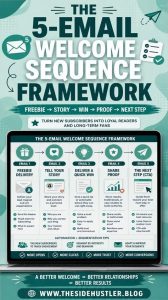
1. The Welcome Email
This sets expectations. Thank the subscriber, tell them what to expect (how often you’ll email, what kind of content), and deliver on whatever promise got them to opt in — the lead magnet, the discount code, the guide.

2. The Story Email
People connect with people, not logos. Share the story behind your business, a founder’s journey, or a customer transformation. This is where trust starts to form, because it shows there’s a real philosophy behind what you sell.

3. The Value/Education Email
Teach something genuinely useful related to the problem your product solves. This email should stand on its own — useful even if the reader never buys anything.

4. The Social Proof Email
Case studies, testimonials, or results are far more persuasive than claims about your own greatness. Let someone else do the bragging for you.

5. The Objection-Handling Email
Every audience has hesitations — price, time, trust, complexity. Address the most common objection directly and honestly, rather than hoping it never comes up.

6. The Soft Offer Email
Now that trust has been built, introduce your product or service — but frame it as a natural next step, not a hard sell. Focus on the transformation, not just the features.

7. The Direct Offer / Urgency Email
This is where a clear call to action belongs, ideally with a genuine reason to act now (limited spots, a real deadline, bonus expiring). Urgency only works when it’s true.

Not every sequence needs all seven emails, and the order can flex depending on your funnel. What matters is that each email earns the right to the next one by delivering something real first.

Personalization Is What Makes It Feel Human

Generic blasts are the fastest way to feel spammy, even if the content itself is good. Personalization doesn’t require a complex tech stack — small, thoughtful touches go a long way:

Segment by how someone joined your list (webinar attendee vs. blog subscriber vs. free-trial user) and tailor the first few emails accordingly.
Use behavioral triggers — if someone clicks a link about a specific service, follow up with more detail on that exact topic, not a generic recap.
Reference where someone is in their journey. A brand-new subscriber and someone who abandoned checkout should never get the same email.

The goal is for each subscriber to feel like the sequence was built with their specific situation in mind — because in a well-segmented system, it effectively was.

Timing and Cadence: Less Can Be More

There’s no universal “perfect” number of emails or days between sends, but a few principles hold up across industries:

Space emails closer together early in the sequence (every 1–3 days) while interest is fresh, then widen the gaps as the sequence progresses.
Watch engagement, not just your calendar. If open rates drop sharply, that’s a signal to slow down, change the angle, or re-segment.
Give subscribers an easy way to self-select into more relevant content — a simple “what are you most interested in?” click early on can reshape the rest of the journey.
Always make unsubscribing easy and drama-free. Counterintuitively, a clean opt-out process protects your sender reputation and keeps your list full of people who actually want to be there.

Writing Style: The Human Factor

Even a well-structured sequence can feel spammy if the writing itself sounds robotic or overly promotional. A few habits help keep emails feeling human:

Write the way you’d talk to a smart colleague — clear, warm, and specific, not stiff or salesy.
Lead with a real insight or story in the subject line and opening line, not a generic “Don’t miss out!” hook.
Keep paragraphs short. Big blocks of text feel like work to read, especially on mobile.
Ask questions and invite replies. A sequence that feels like a two-way conversation, rather than a broadcast, builds far more trust.
Edit out anything that only exists to hype your product. If a sentence doesn’t inform, entertain, or build trust, cut it.

Measuring What Actually Matters

Open rates and click-through rates are useful, but they’re not the full picture. To know whether a nurture sequence is actually working, track:

Conversion rate at the end of the sequence, not just per email.
Unsubscribe and spam-complaint rates, which tell you if something feels off even when opens look healthy.
Reply rates, a strong signal of genuine engagement and trust.
Revenue per subscriber across the full sequence, since the sale might happen on email four, not email seven.

Reviewing these metrics regularly lets you refine the sequence over time — cutting what isn’t working and doubling down on the moments that clearly build trust or drive action.

The Bottom Line

A nurture sequence stops feeling spammy the moment it stops feeling like a sequence at all — and starts feeling like a relationship. That means leading with real value, personalizing based on actual behavior, respecting your subscribers’ time, and only asking for the sale once you’ve genuinely earned it.

Get that balance right, and your emails won’t just avoid the spam folder mentality — they’ll become something your audience actually looks forward to opening. And that’s ultimately what converts: not pressure, but trust.

Lead scoring models that move prospects through the funnel faster.

Lead Scoring Models: How to Move Prospects Through Your Funnel Faster

If you’ve ever watched a “hot” lead go cold before your sales team even picked up the phone, you already know the problem lead scoring is meant to solve. Marketing hands off a list of names, sales calls through it in whatever order it landed in the CRM, and somewhere in the shuffle, the prospect who was genuinely ready to buy gets the same treatment as someone who downloaded an ebook out of idle curiosity. The result is wasted effort, slower conversions, and a funnel that feels more like a maze.

Lead scoring fixes this by putting a number on intent. It tells your team, in plain terms, who’s worth calling right now and who still needs to be nurtured. Done well, it doesn’t just make sales more efficient — it reshapes how quickly prospects actually move from “just looking” to “ready to buy.”

What Lead Scoring Actually Is

At its core, lead scoring is a system for ranking prospects based on how likely they are to convert. Each lead gets assigned points based on a combination of who they are (their job title, company size, industry) and what they do (pages visited, emails opened, forms filled out, demos requested). Add up the points, and you get a score that tells you where that lead sits in their buying journey.

It sounds simple, and conceptually it is. But the models behind it can range from a basic spreadsheet formula to a machine-learning system that recalculates scores in real time based on hundreds of behavioral signals. The right level of sophistication depends on your business, your sales cycle, and how much data you’re actually working with.

Why Speed Through the Funnel Matters So Much

Every day a qualified lead sits untouched is a day your competitor might reach them first. A scoring model doesn’t just organize your leads; it acts as an early-warning system that tells your sales team exactly when that window is open.

There’s also the matter of sales bandwidth. No sales team has unlimited hours to chase every contact form submission with equal urgency. Scoring gives reps a prioritized list, so their time goes toward the leads most likely to close rather than the ones that technically exist in the database but show no real buying signals.

The Building Blocks of an Effective Scoring Model

A scoring model generally rests on two categories of data, and mixing both is what separates a useful model from a shallow one.

Demographic and firmographic fit — this is about whether the lead matches your ideal customer profile in the first place. Signals here include:

Job title or seniority level
Company size or annual revenue
Industry or vertical
Geographic location
Budget indicators, where available

Behavioral engagement — this measures how actively a lead is interacting with your brand and how close that behavior suggests they are to a purchase decision. Signals here include:

Website visits to high-intent pages, such as pricing or case studies
Email opens, clicks, and reply rates
Content downloads, particularly bottom-of-funnel assets
Webinar or demo attendance
Frequency and recency of interactions

A lead who checks every demographic box but has never opened an email isn’t ready. A lead who’s binge-reading your blog but works at a company far outside your target market probably never will be. The scoring model’s job is to weigh both dimensions together so sales isn’t chasing false positives.

Common Lead Scoring Models Worth Considering

Not every business needs the same approach, and choosing the wrong model can create more noise than signal. Here are the main types agencies and in-house teams typically build from.

Points-based scoring: Predictive lead scoring: Uses machine learning to analyze historical conversion data and identify patterns human teams might miss. Instead of manually assigning point values, the model learns which combinations of traits and actions actually correlate with closed deals.
Grade and score hybrid: Combines a letter grade (A through D, based on fit) with a numeric score (based on engagement). This two-axis approach makes it easy to visualize leads on a matrix — a hot lead with poor fit is treated differently than a warm lead with excellent fit.
Negative scoring: Just as important as adding points is subtracting them. Actions like unsubscribing, visiting a careers page, or providing a personal email address instead of a work one can indicate a lead is disengaging or was never a serious prospect. Negative scoring keeps the model honest.

Building a Model That Actually Reflects Your Buyers

The businesses that get the most out of lead scoring are the ones willing to build the model around their own sales data rather than copying an industry standard.

A good starting process looks like this:

Pull historical data on closed-won and closed-lost deals. Look for patterns in the traits and behaviors that separated the two groups.
Interview your sales team. They often know, anecdotally, what a “hot” lead looks like before the data confirms it.
Assign preliminary point values based on those patterns, weighting behavioral signals that correlate most strongly with conversion.
Set a qualification threshold where marketing hands the lead to sales, along with a clear definition of what happens above and below that line.
Test, measure, and revise. No model is right on the first attempt — treat it as a living system, not a one-time project.

This last point deserves emphasis. Lead scoring isn’t a set-it-and-forget-it tool. Buyer behavior changes, product offerings evolve, and what counted asa strong signal last year might mean nothing today. Models that aren’t revisited quarterly tend to drift out of alignment with reality, quietly sending sales after the wrong leads for months before anyone notices the conversion rate dipping.

Aligning Marketing and Sales Around the Score

One of the quieter benefits of a well-built scoring model is that it forces a conversation that too manycompanies avoid: what actually counts as a qualified lead?

Without a shared definition, marketing tends to celebrate volume while sales complains about quality, and both sides end up frustrated with each other instead of focused on the prospect.

A scoring model, built collaboratively, becomes the shared language between the two teams. It defines, in numbers everyone agrees on, exactly when a lead is ready to be worked. That alignment alone tends to shrink the friction that slows deals down in the middle of the funnel — the stage where good leads often stall simply because no one was clear on whose job it was to follow up.

Automating the Handoff

The real value comes from connecting your scoring model to automated workflows:

Instant sales notifications when a lead crosses the qualification threshold
Automated routing to the right rep based on territory or account ownership
Triggered nurture sequences for leads that fall just below the threshold
Re-engagement campaigns for leads whose scores are trending downward

This is where marketing automation platforms earn their keep.

Measuring Whether the Model Is Working

A scoring model’s success shouldn’t be judged by how sophisticated it looks on paper — it should be judged by outcomes. Watch for:

Shorter average time from marketing-qualified lead to closed deal
Higher conversion rates among leads that cross the qualification threshold
Fewer complaints from sales about lead quality
A shrinking gap between marketing’s definition of “qualified” and sales’ definition

If these numbers aren’t improving, the model needs revisiting — not abandoning. Often the fix is as simple as reweighting a handful of behaviors or tightening the qualification threshold rather than starting over.

Bringing It All Together

Lead scoring isn’t about replacing human judgment with a formula. It’s about giving your team a faster, clearer way to see what’s already happening in the data — who’s engaging, who’s ready, and who needs more time. When the model reflects your actual buyers rather than generic assumptions, it becomes one of the most reliable ways to shorten the funnel without cutting corners on the relationship-building that turns prospects into customers.

For agencies managing multiple client accounts, building tailored scoring models isn’t just a nice-to-have — it’s often the difference between a client’s sales team trusting marketing’s leads and quietly working around them. Get the model right, and the entire funnel starts moving at the speed your best prospects deserve.

When to implement marketing automation: signals your business is ready.

When to Implement Marketing Automation: Signals Your Business Is Ready

Marketing automation gets talked about like it’s a magic switch — flip it on, and suddenly your leads nurture themselves, your emails send at the perfect moment, and your sales team only talks to people who are actually ready to buy. Automation is a powerful tool, but only when it’s introduced at the right stage of a business’s growth. Bring it in too early and you end up automating chaos. Bring it in too late and you’ve spent months (or years) doing manually what a system could have handled in minutes.

So how do you know when your business has actually crossed that threshold? Below, we break down the clearest signals that it’s time to invest in marketing automation, along with a few honest signs that you might not be ready just yet.

What Marketing Automation Actually Solves

Before diving into the signals, it helps to be clear about what marketing automation is actually for. At its core, it’s software that handles repetitive marketing tasks — email sequences, lead scoring, social scheduling, ad retargeting, customer segmentation — without a human manually pushing the button every time. It doesn’t replace strategy or creativity. It replaces the grunt work that eats up your team’s time once your audience and processes grow past a certain size.

That distinction matters, because a lot of businesses adopt automation tools expecting them to fix problems that aren’t actually automation problems. Automation amplifies what’s already working — it doesn’t invent a working system out of nothing.

With that in mind, here’s what genuine readiness looks like.

Signal 1: You’re Generating Leads Faster Than You Can Follow Up

If your team is manually responding to every form submission, every email inquiry, and every downloaded resource — and that list is growing every week — you’ve likely already hit the ceiling of what manual follow-up can handle.

A few tell-tale signs this is happening:

Leads are sitting untouched for more than 24–48 hours before anyone reaches out
Your sales or marketing team is spending more time on data entry than actual conversations
You’ve started missing follow-ups entirely because leads slip through the cracks
The same welcome email or intro message is being copy-pasted by hand, over and over

When response time starts working against you instead of for you, automation isn’t a luxury anymore — it’s damage control.

Signal 2: Your Customer Journey Has Multiple Touchpoints

A business that sells through a single ad and a single landing page doesn’t need automation nearly as much as one that’s guiding people through a longer journey — blog content, email nurture sequences, retargeting ads, webinars, free trials, and eventual sales conversations.

If your buyers typically interact with your brand five, six, or ten times before converting, trying to track and time each of those touches manually becomes nearly impossible. Automation lets you build a journey once and let it run consistently for every person who enters it, rather than depending on someone remembering to send the right message at the right time.

Ask yourself:

Does your average customer take weeks or months to make a decision?
Do different segments of your audience need different messaging paths?
Are you currently guessing at when someone is “ready” instead of tracking actual engagement?

If you answered yes to any of these, your customer journey has already outgrown manual management.

Signal 3: You Have Enough Data to Actually Segment Your Audience

Automation thrives on data. If you don’t yet know much about your audience — where they come from, what they click on, what they’ve purchased before — automation tools won’t have much to work with. But once you’ve built up a customer list with some history behind it, that data becomes incredibly valuable for automation.

Signs you have enough data to make automation worthwhile:

You have at least a few hundred contacts in your database (the exact number varies by industry)
You can identify patterns, like certain products that tend to be purchased together, or content that consistently drives conversions
You’re able to distinguish between casual browsers and serious buyers based on behavior
You’ve collected enough information to build meaningful segments (by industry, purchase history, engagement level, and so on)

Once this kind of data exists, automation can use it to send the right message to the right segment automatically, instead of treating every contact identically.

Signal 4: Your Team Is Repeating the Same Manual Tasks Every Week

This one is less about growth in leads and more about time lost. Take an honest look at your team’s calendar. If the same tasks show up week after week — building the same type of email, manually updating spreadsheets to track leads, scheduling the same recurring social posts, sending the same reminder emails — those are exactly the kinds of tasks automation is built to absorb.

Common repetitive tasks that signal automation readiness include:

Sending onboarding or welcome sequences to new customers
Following up with abandoned carts or incomplete sign-ups
Re-engaging inactive subscribers on a set schedule
Scoring and routing leads to the right sales rep
Reporting on campaign performance across multiple channels

If your team’s time is going toward tasks a machine could do just as well (or better), that time could instead be spent on strategy, creative work, or actual relationship-building with customers — the parts of marketing that genuinely need a human touch.

Signal 5: You’re Scaling Across Multiple Channels

A business running one email newsletter can usually manage things manually without much trouble. But once marketing spreads across email, SMS, social media, paid ads, and a website simultaneously, keeping everything coordinated by hand becomes a serious operational risk. Messages get out ofsync, timing becomes inconsistent, and it becomes difficult to see the full picture of how acustomeris interacting with your brand across channels.

Marketing automation platforms are built to unify these channels, letting you trigger actions across all of them from a single system, based on a single source of customerdata. If your team is currently jumping between five different tools trying to manually coordinate a single campaign, that disconnect itself is a readiness signal.

Signal 6: Leadership Is Ready to Commit to the Process, Not Just the Software

This is the signal most businesses overlook. Marketing automation isn’t a “set it and forget it” purchase. It requires an initial investment of time to map out workflows, write the content that will live inside those workflows, and test everything before it goes live. It also requires ongoing attention — reviewing performance, adjusting triggers, and refining segments as your audience changes.

Businesses that succeed with automation are the ones where leadership treats it as an operational shift, not just a new subscription. Signs you’re ready on this front:

Someone on your team (or an outside partner) has the bandwidth to own the automation strategy
Leadership understands automation will take weeks, not days, to properly set up
There’s a willingness to revisit and refine workflows regularly, rather than launching once and walking away
The team is aligned on what a “qualified lead” actually looks like, so automation rules can reflect that agreement

Without this internal readiness, even the best automation software will end up underused, misconfigured, or abandoned within a few months.

A Few Signs You Might Not Be Ready Yet

It’s worth being just as honest about premature adoption as it is about genuine readiness. You may want to hold off if:

Your lead volume is still small and manageable by hand
Your messaging or offer is still being tested and changes frequently
You don’t yet have a clear picture of your ideal customer
There’s no one available to actually manage the system once it’s built

Automation works best on top of a foundation that already makes sense. If that foundation is still being built, it’s usually better to strengthen it first.

Bringing It All Together

Marketing automation isn’t about chasing the latest tool trend — it’s about recognizing when your business has outgrown manual processes. When leads are piling up faster than your team can respond, when your customer journey spans multiple touchpoints and channels, when you’ve built up enough data to segment meaningfully, and when leadership is ready to invest real time into the process, those are the moments that separate businesses ready for automation from those that would only end up automating disorganization.

If several of these signals sound familiar, it’s likely time to start exploring automation platforms and mapping out what your first workflows should look like. And if you’re not fully there yet, that’s useful information too — it means your energy is better spent refining your process before adding new technology on top of it.